2026-07-22
Client Portal That Feels Like an App: PWA, Bottom Nav, and Two Manifests
Part of Building Bizee: Technical Notes. See also the Bizee case study.
Introduction
The hook
Owners live in a dashboard. Clients live in their pocket. If the client portal feels like a shrunk website — no install, no thumb nav, no “home” — they bounce to Booksy.
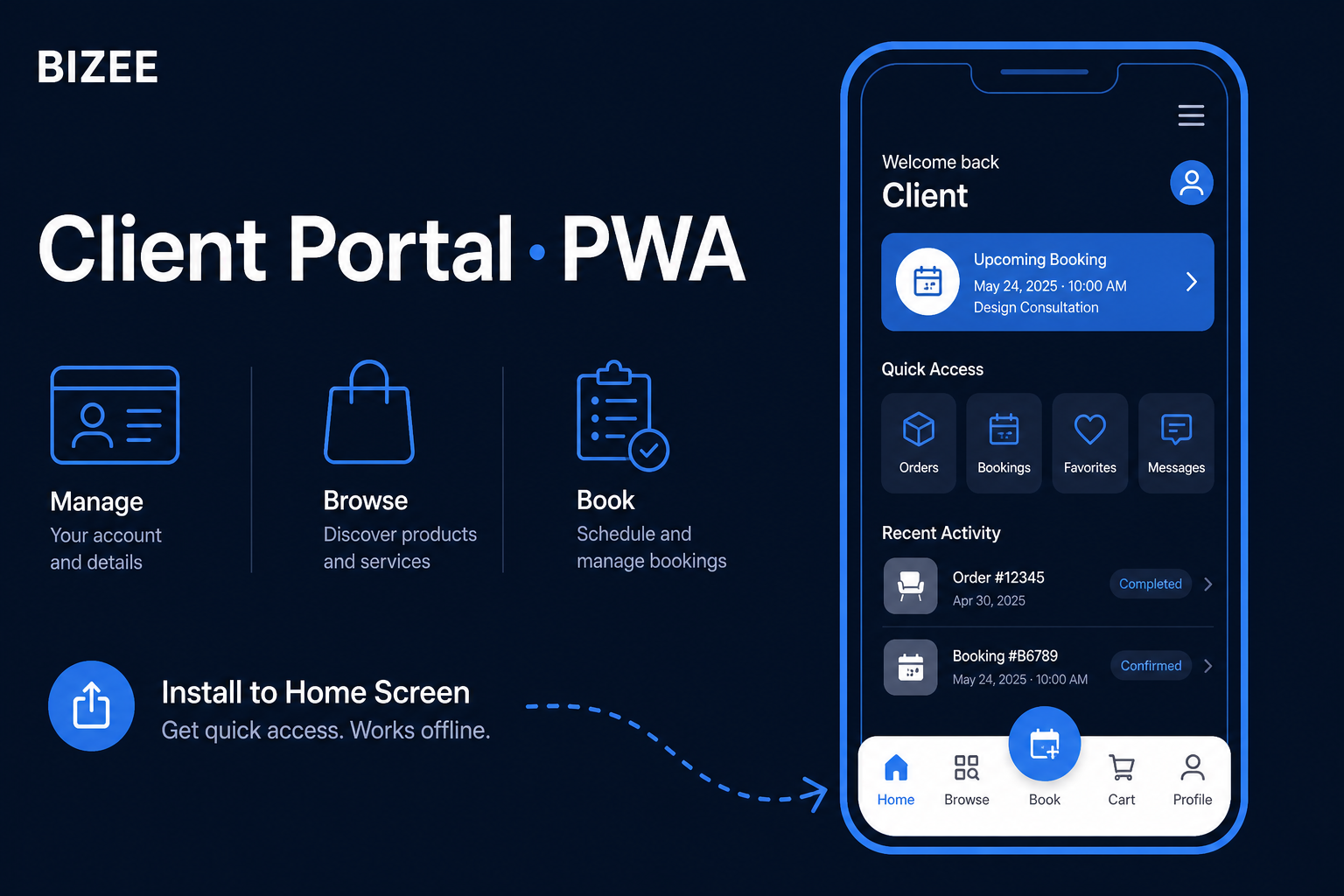
On Bizee I treated the client surface like a lightweight app: standalone PWA, bottom navigation, and a storefront-first portal, without an App Store review cycle.
The objective
You will learn how to:
- Ship separate installable experiences for owner vs client.
- Use web app manifests (
display: standalone) that match each audience. - Design mobile IA (bottom nav + home hub) that survives real thumbs.
Prerequisites
- Next.js (or any SPA/MPA) deployable over HTTPS
- Basic PWA concepts (manifest, service worker, A2HS)
- Mobile-first CSS / component layout experience
Body
Step 1: One product, two install targets
Clients and owners want different homescreen icons and start URLs.
| Audience | Manifest | Start mental model |
|---|---|---|
| Client | manifest-client.json | Book, browse, cart, profile |
| Owner | manifest-owner.json | Dashboard, appts, clients, store |
Both use "display": "standalone" so Add to Home Screen feels native.
{
  "name": "Bizee Client",
  "short_name": "Bizee",
  "display": "standalone",
  "start_url": "/client/dashboard",
  "theme_color": "#0f172a",
  "background_color": "#ffffff"
}
Wire the correct <link rel="manifest"> (or inject it) for the route family the user is in.
Step 2: Bottom nav is information architecture, not decoration
Client bottom bar (Bizee pattern): Home · Browse · Book (FAB) · Cart · Profile.
Rules that kept us sane:
- One primary action in the center (book).
- Cart reachable without hunting the header.
- Home shows upcoming + orders, not a marketing page.
Step 3: Service workers: progressive, not perfect day one
Ship installability first (manifest + icons + HTTPS). Then SW caching and push.
Bizee’s path: sw-owner / sw-client foundation + A2HS prompt after meaningful moments (e.g. post-booking): not on first paint.
Step 4: Portal storefront is the client “front door”
Share links shouldn’t dump strangers into a generic dashboard. /portal/dashboard?businessId= is the storefront: services, shop, sticky Book / Cart / Share.
That’s how “one link for your business” becomes tangible.
Mental model
Share link / QR
      │
      ▼
Portal storefront (business-scoped)
      │
      ├─► Book flow
      └─► Client home (PWA) after login
Conclusion
Summary
- Separate manifests for owner vs client installs — worth the extra file.
- Bottom nav encodes the client product, not just decoration.
- A2HS after value, not before (patience pays off).
- Storefront-first portals beat generic logged-in shells.
Call to Action
Open the demo on your phone and try Add to Home Screen: bizee.life/demo.
Shipping a PWA SaaS? I’m curious: one manifest or two?