2026-07-29
CSV Client Import for Real Shops: Mapping Vagaro, Booksy, and Square Without Tears
Part of Building Bizee: Technical Notes. See also the Bizee case study.
Introduction
The hook
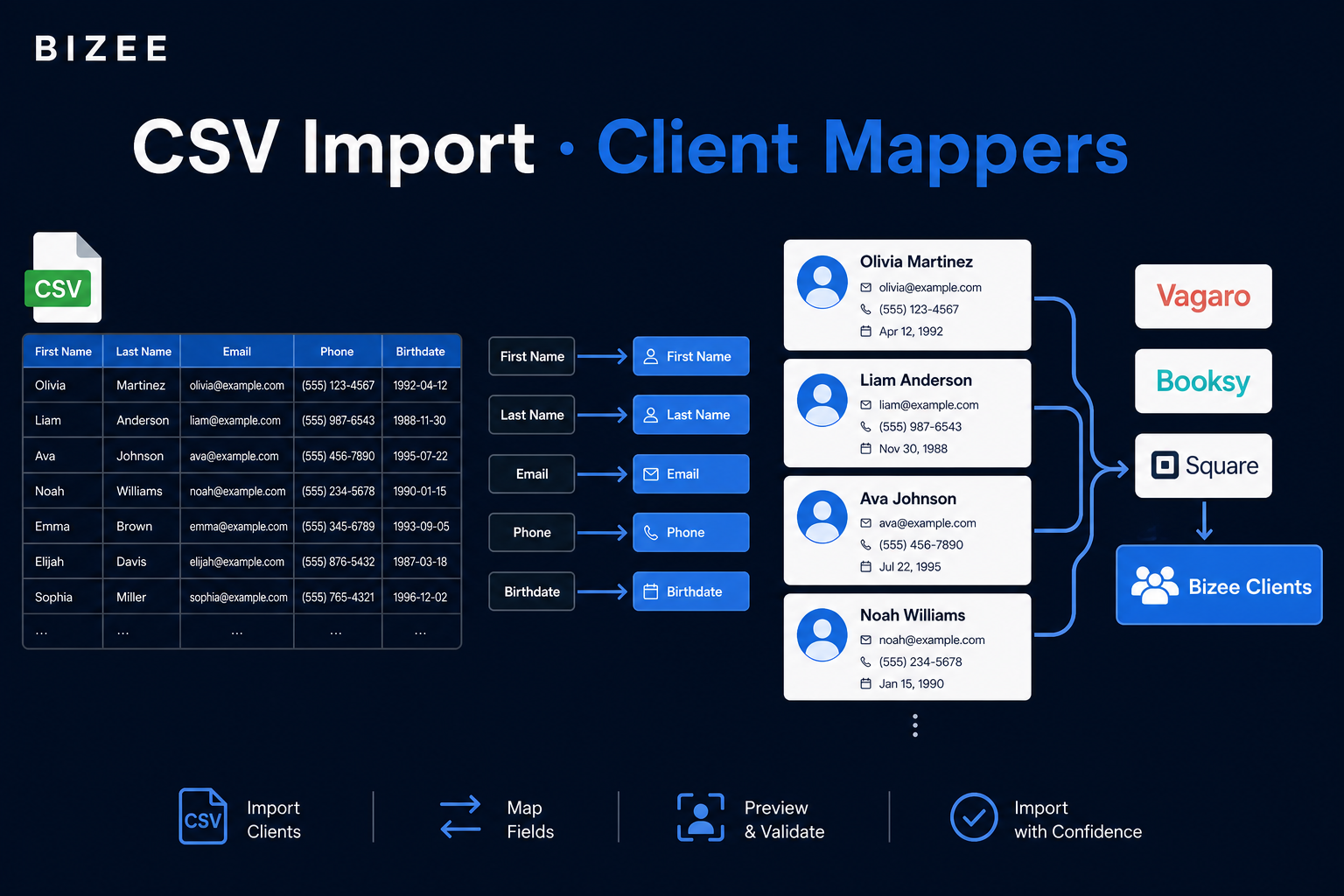
A salon owner won’t retype 800 clients. They export a CSV from Vagaro, Booksy, Square, or Google Contacts — each with different column names, phone formats, and “full name” vs first/last splits.
If import fails on row 47, they leave. Bizee needed self-serve CSV import that respects how competitors actually export, not how we wished they would.
The objective
You will learn how to:
- Normalize messy CSV rows into one internal shape.
- Plug in per-competitor mappers without rewriting the import API.
- Design an import UX that previews, reports errors, and leads to the next action (booking link).
Prerequisites
- TypeScript comfort
- A backend that can accept uploads or parsed rows
- Basic CSV parsing (headers + records)
- Empathy for non-technical operators
Body
Step 1: Define one internal row contract
Everything maps into your shape: never the other way around mid-pipeline.
export interface MappedImportRow {
  input: ImportClientRowInput; // firstName/lastName or name, email, phone, …
  mappedHeaders: string[];     // which CSV columns we actually used
}
Downstream create/upsert only speaks MappedImportRow.input. mappedHeaders powers preview UI (“we mapped these columns”).
Step 2: One mapper per export dialect
// Pattern from clientImportMappers.ts
export function mapVagaroRow(record: Record<string, string>): MappedImportRow {
  // fuzzy-match headers like "Customer First Name", "Mobile Phone"
  // → { input, mappedHeaders }
}

export function mapBooksyRow(record: Record<string, string>): MappedImportRow {
  // Booksy often ships a single "Client" / "Name" column
}

export function mapSquareRow(record: Record<string, string>): MappedImportRow { /* … */ }
export function mapGoogleContactsRow(record: Record<string, string>): MappedImportRow { /* … */ }

// Dispatcher picks the dialect the owner selected (or you auto-detected)
switch (source) {
  case 'vagaro': return mapVagaroRow(record);
  case 'booksy': return mapBooksyRow(record);
  case 'square': return mapSquareRow(record);
  default: return mapGenericRow(record);
}
Adding a new competitor = new function + switch case + fixtures. The API stays boring.
Step 3: Normalize phones and names aggressively
Real exports include:
(555) 123-4567vs5551234567vs+1-555-123-4567"Jordan Lee"in one column vs First + Last- Empty emails with phones only (still valuable)
Normalize before uniqueness checks. Decide merge keys (email first, else phone) and document them in the UI.
Step 4: UX is part of the engineering
Bizee’s import flow goals:
- Pick source template / auto-detect headers when possible.
- Preview mapped rows before commit.
- Show per-row errors without failing the whole file silently.
- After success: share booking link: import isn’t the end, reactivation is.
Step 5: Test the mappers like contracts
Unit-test each mapper with fixture CSVs (headers copied from real exports). E2E-test the dialog once; unit-test the dialects forever.
Conclusion
Summary
- One internal row type; many mappers — keeps the import API boring (in a good way).
- Normalize phones/names before dedupe.
- Preview + partial success beats all-or-nothing.
- Post-import CTA matters as much as parse success.
Call to Action
Owners import on /clients in the live product: bizee.life.
Written a CSV importer? I’d love to know which competitor’s export was the messiest.
References
- RFC 4180 (CSV)
- libphonenumber (if you go deep on phones)
- Prisma upsert