2026-07-15
Multi-Role Auth in Next.js: Owner, Client, and a Toggle That Doesn’t Lie
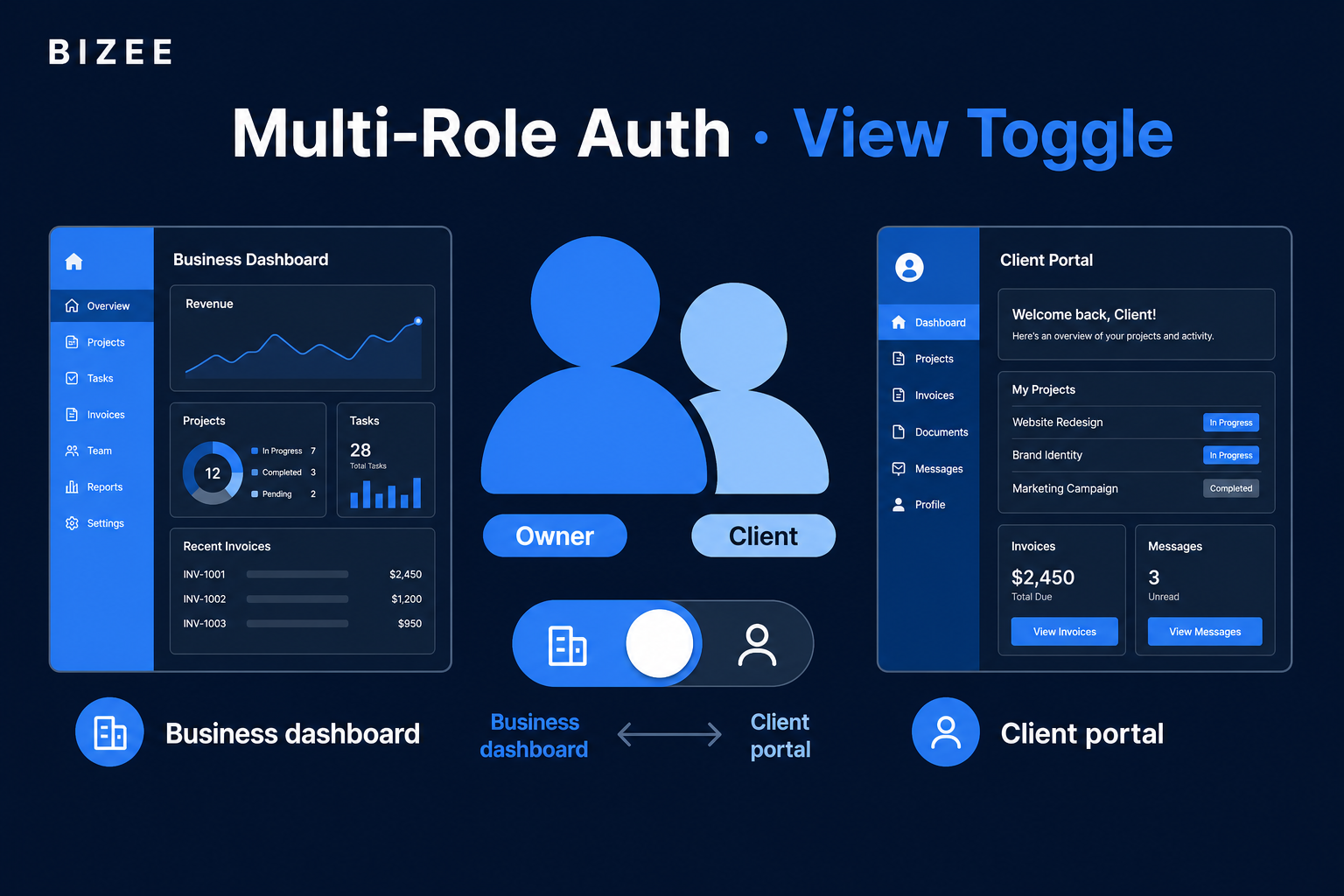
Part of Building Bizee: Technical Notes. See also the Bizee case study.
Introduction
The hook
Your user is a business owner and also a client of another shop on the same platform. They log in once. Then the UI shows the wrong nav — owner tools on a client route, or consumer chrome on /dashboard. Support tickets write themselves.
That dual identity is normal on Bizee. Solving it meant roles in the session plus an explicit view mode that redirects for real (not just a cosmetic toggle).
The objective
You will learn how to:
- Model users who can hold more than one role.
- Separate authorization (what they’re allowed to do) from view mode (which chrome they see).
- Toggle owner ↔ client and land on the correct home route every time.
Prerequisites
- Next.js App Router + a session/cookie auth helper
- Familiarity with RBAC concepts (roles ≠ UI skin)
- React hooks basics
Body
Step 1: Roles answer “can they?”: view mode answers “what are they looking at?”
| Concern | Source of truth | Example |
|---|---|---|
| Permission | DB roles / claims | BUSINESS_OWNER, CLIENT |
| Chrome / IA | viewMode in state + localStorage | business vs client |
| Route home | Router after toggle | /dashboard vs /client/dashboard |
If you only check role === CLIENT for layout, multi-role owners never see client chrome when they need it.
Step 2: Persist view mode, but don’t trust it alone
We keep bizee_view_mode in localStorage so refresh doesn’t yank someone mid-task. On toggle, we also navigate:
// Pattern from useViewMode
const toggleViewMode = () => {
  const newMode = viewMode === 'business' ? 'client' : 'business';
  setViewMode(newMode);
  localStorage.setItem('bizee_view_mode', newMode);

  if (newMode === 'client') {
    router.push('/client/dashboard');
  } else {
    router.push('/dashboard');
  }
};
Without the router.push, the toggle is a costume change on the wrong page.
Step 3: Apply the right layout for the route family
Auth wrappers should attach owner or client shell based on path + auth, not only user.role === CLIENT:
- Business family:
/dashboard,/business/*,/clients, … - Client family:
/client/*
Multi-role users on /client/book get client top/bottom bars. On /business/walk-ins, they get owner chrome. Same session. Different IA.
Step 4: Gate APIs by permission, not by view mode
View mode is UX. Never authorize a write because viewMode === 'business'. Always check server-side roles / ownership of the businessId.
Mental model
Session (user + roles)
        │
        ├─► API guards (can they mutate?)
        │
        └─► viewMode + pathname
                └─► MainLayout chrome + default home
Conclusion
Summary
- Multi-role users need view mode separate from RBAC — I keep saying this because it’s easy to forget.
- Toggle must redirect to the correct home.
- Layout follows route family for multi-role users.
- APIs stay permission-based, always.
Call to Action
See owner and client experiences in the Glow Studio demo: bizee.life/demo.
Building multi-role SaaS? I’m curious whether you store view mode in the JWT, the DB, or localStorage.