2026-07-01
From SQLite on the Laptop to Neon Postgres in Production (Without Losing Your Prisma Mind)
Part of Building Bizee: Technical Notes. See also the Bizee case study.
Introduction
The hook
SQLite is perfect for shipping features fast. Then you deploy and discover: provider mismatches, path bugs (file:./dev.db vs absolute paths), CI that never saw Postgres, and a prod database that isn’t the file on your Desktop.
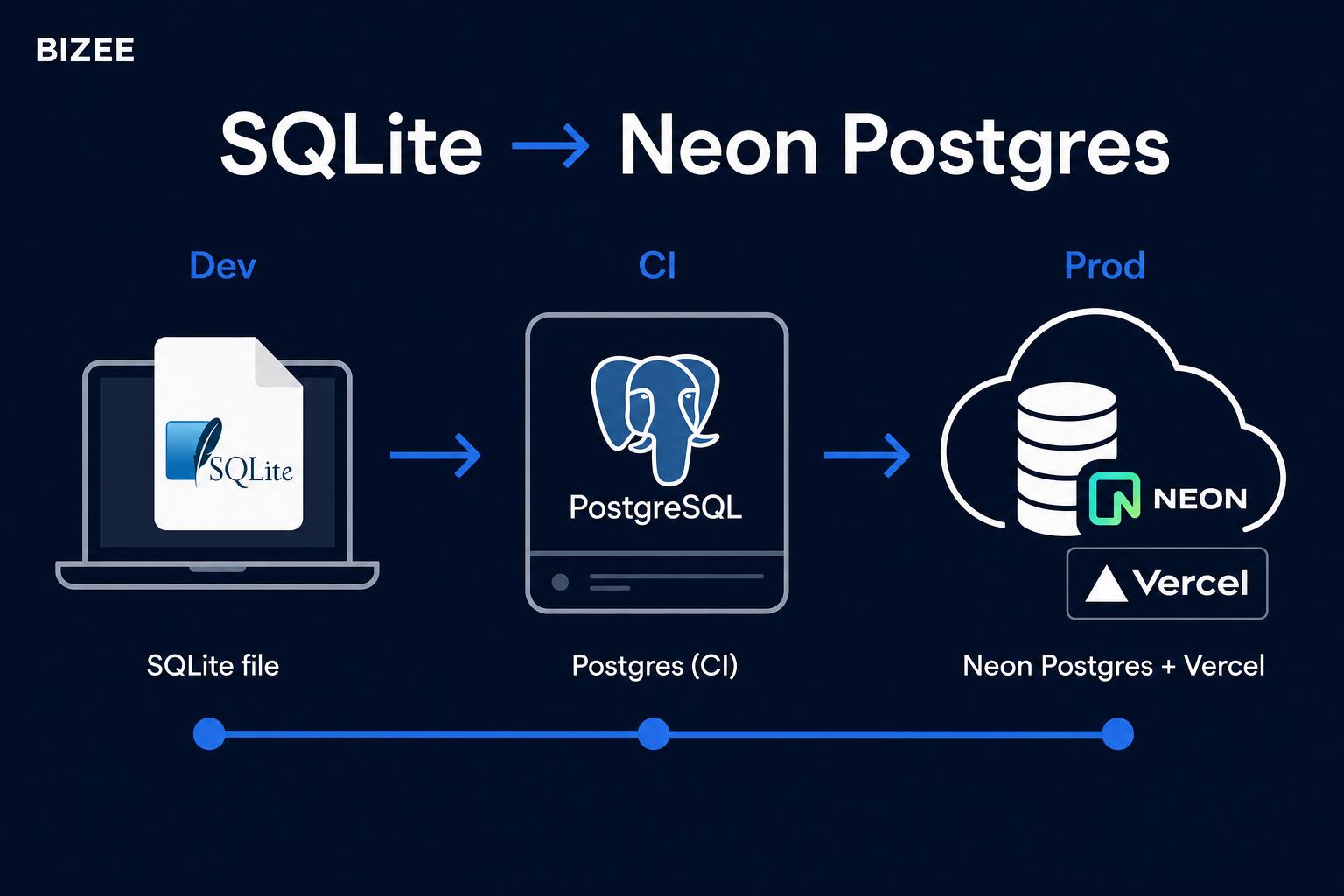
Bizee runs SQLite locally and Neon Postgres in production on Vercel. Getting that split honest — in code and in CI — was a milestone I’m glad we hit early.
The objective
You will learn how to:
- Keep a fast SQLite loop for local development.
- Run Prisma against Postgres in CI before you trust prod.
- Point Vercel at Neon with a single
DATABASE_URLand migrate safely.
Prerequisites
- Prisma basics (
schema.prisma,migrate/db push) - A Vercel (or similar) deploy
- A Neon (or any hosted Postgres) project
- Basic GitHub Actions familiarity
Body
Step 1: Accept two environments on purpose
| Environment | Engine | Why |
|---|---|---|
| Local dev | SQLite | Zero setup, fast resets |
| CI | Postgres 15 | Catch SQL dialect / type issues |
| Production | Neon Postgres | Managed, branchable, Vercel-friendly |
Don’t pretend SQLite is Postgres. Prove the app against Postgres before customers do.
Step 2: One Prisma schema, provider swap for CI
In CI we copy the schema and flip the provider (pattern used on Bizee):
# .github/workflows/ci-postgres.yml (excerpt)
services:
  postgres:
    image: postgres:15-alpine
    env:
      POSTGRES_USER: postgres
      POSTGRES_PASSWORD: postgres
      POSTGRES_DB: testdb
    ports:
      - 5432:5432

env:
  DATABASE_URL: postgresql://postgres:postgres@localhost:5432/testdb

# then:
# cp prisma/schema.prisma prisma/schema.postgres.prisma
# sed … provider = "postgresql"
# npx prisma generate --schema=prisma/schema.postgres.prisma
# npx prisma db push --schema=prisma/schema.postgres.prisma
# npm run test:postgres
Local stays provider = "sqlite" with DATABASE_URL="file:…".
Step 3: Singleton Prisma client (you will thank yourself)
Hot reload in Next.js loves creating new PrismaClient instances until you hit connection limits, worse on Postgres than SQLite.
// lib/prisma.ts (pattern)
import { PrismaClient } from '@prisma/client';

const globalForPrisma = globalThis as unknown as { prisma?: PrismaClient };

export const prisma =
  globalForPrisma.prisma ??
  new PrismaClient({
    log: process.env.NODE_ENV === 'development' ? ['error', 'warn'] : ['error'],
  });

if (process.env.NODE_ENV !== 'production') globalForPrisma.prisma = prisma;
Step 4: Production = Neon URL on Vercel, nothing clever
On Vercel:
- Create a Neon project / branch for prod.
- Set
DATABASE_URL(andDIRECT_URLif you use Prisma migrate with a pooler). - Run migrate/deploy in the release pipeline or a one-shot job.
- Seed demo data separately (
seed:demo-marketing:neon) so marketing sandboxes aren’t your prod mess.
Smoke after deploy: login, create a row, read it back. DNS and Stripe can wait five minutes; a wrong DATABASE_URL cannot.
Step 5: Watch for SQLite-only habits
Things that bite when you leave SQLite:
- Case-sensitive string comparisons
- JSON / enum differences
- Concurrent writes and locking assumptions
- Absolute vs relative
file:paths in tests vs app
CI Postgres is the early warning system.
Mental model
Developer laptop          GitHub Actions              Vercel + Neon
─────────────────         ──────────────              ─────────────
SQLite file DB     →      Postgres service     →      Neon DATABASE_URL
fast feature loop         catch dialect bugs          real customers
Conclusion
Summary
- Use SQLite for speed locally; don’t skip Postgres in CI — I learned that one the practical way.
- Generate/push against a CI schema with
provider = "postgresql". - Singleton Prisma client in Next.js (your future self will thank you).
- Prod is “env var + migrate + smoke,” not hope.
Call to Action
See the production stack in the wild: bizee.life · demo at /demo.
Building a similar dual-DB setup? I’m curious whether you chose Prisma migrate or db push for first prod cutover.