2026-06-18
How to Make HR “Actions” Update the Employee Record (Not Just Forms)
Part of Building PRANI OPS: Technical Notes. See also the PRANI OPS case study · previous: private demo hosting.
Introduction
The hook
A lot of HR demos stop at “we saved a row.”
Status flips to APPROVED. Everyone claps. Then you open the employee profile — job title still says “Analyst,” pay band untouched. That’s not an HR action; that’s a form with good branding.
When I built PRANI OPS, I wanted the opposite story for recruiters (and for my own sanity): Promotion → Process due → the employee record actually changes.
The objective
By the end of this note you’ll see how we wire:
- Action templates (playbook + default payload).
- A lifecycle: draft → submit → approve → effective-date processing.
- A processor that applies org and compensation fields from the payload.
- Tests that treat side effects as the contract, not the happy-path HTTP 200 alone.
Prerequisites
- Basic REST + relational data modeling
- Comfort with “effective dating” (when a change should apply)
- Optional: Spring service layer patterns
Body
Why templates exist
HR does not invent every promotion from a blank screen. They reuse a catalog: Promotion, Merit increase, Lateral transfer, and so on.
Each template carries:
- An action type (e.g.
PROMOTION) - A payload (JSON hints: “includes comp change,” default fields)
- A short playbook (human checklist: update title, notify IT, …)
“Use template” opens HR Actions with that type and payload pre-loaded. The human still picks the employee and effective date.
The lifecycle (keep it boring)
| Status | Meaning |
|---|---|
DRAFT | Editable; not in the approval queue |
SUBMITTED | Waiting on approver |
APPROVED | Allowed to process when due |
EFFECTIVE | Processor ran; employee/comp updated |
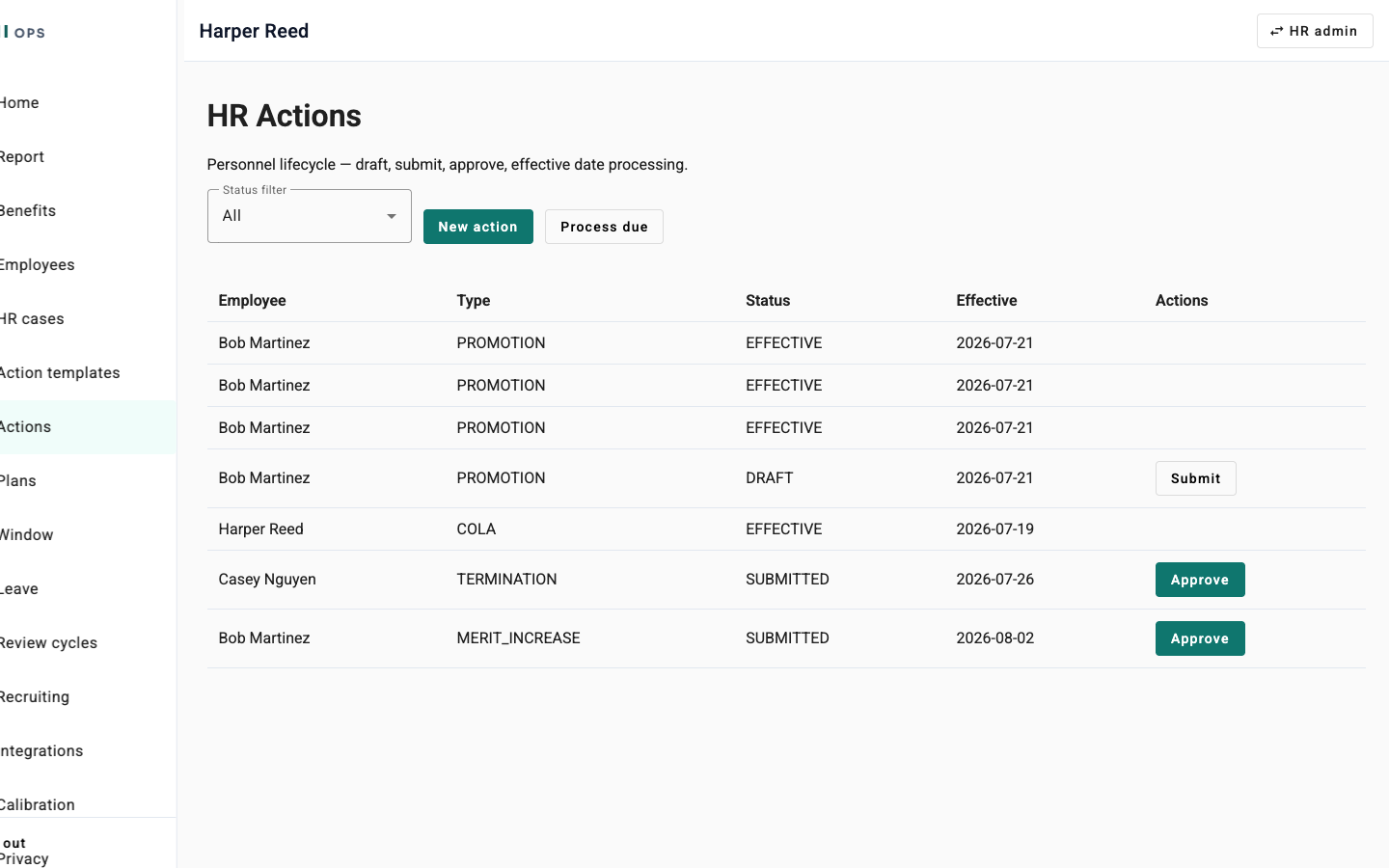
Process due is the important button (or scheduled job). It finds approved actions whose effective date is today or earlier and runs the processor.
If you skip that step, you only have workflow theater.
What the processor actually does
For movement types (promotion, reassignment, reclass), we apply payload fields onto the employee when present:
jobTitle/titledepartmentgrade/ pay bandflsaStatus- optional
managerId - if
includesCompChange+amountCents→ write a compensation record
Sketch of the idea (not the full service):
// Conceptual: apply org fields from action payload
String jobTitle = payloadString(payload, "jobTitle", "job_title", "title");
if (jobTitle != null) {
    employee.setJobTitle(jobTitle);
}
String department = payloadString(payload, "department");
if (department != null) {
    employee.setDepartment(department);
}
// … grade, FLSA, manager, then optional compensation write
The UI does not need twenty extra form fields for a demo-quality promotion if the template (or API create) already carries the payload. What matters is that processing reads that payload and mutates durable state.
Prove it with a path recruiters can repeat
On the hosted demo:
- Sign in as HR (
hr@demo…). - Action templates → Promotion → Use template (or create via API with a rich payload).
- Submit → Approve → Process due.
- Open the employee: title / department / grade / pay should match what you put in the payload.
If step 4 fails, the feature is not done, no matter how pretty the table looks.
Tests are the product contract
We added integration coverage for the promotion path: create with payload → approve → process → assert employee and compensation fields. That keeps “Process due” from regressing into a no-op during later refactors.
Conclusion
Summary
- Status fields are not side effects — I learned that the hard way.
- Templates give you playbooks and defaults; Process due is what applies reality.
- Put the meaningful fields in the payload and let the processor be the single writer for effective changes.
- A working demo plus an integration test beats slideware every time.
Call to action
If you want to see it yourself, walk the path on darrellkilo.com/praniops — or read the fuller product story on the PRANI OPS case study.
Next in the series: the time I stored user IDs in a table that expected employee IDs, and how that quietly broke “acting for” leave approvals.