PRANI OPS is built from real HR experience — client, manager, and specialist perspectives from military healthcare, not a toy demo. I shipped a full-stack enterprise HRIS (Spring Boot 3.5, Angular, PostgreSQL) and packaged a live demo plus a short walkthrough so recruiters can judge the product without cloning. This case study covers the enrollment UX wedge and the platform proof: action templates that actually mutate employee records, and quiz-gated L&D.
Live demo first. Real HR workflows. Honest about stubs.
Project overview
The challenge
Open enrollment is a high-anxiety, time-boxed task for employees and a coordination headache for HR. Legacy portals pile on jargon-heavy plan documents, multiple logins, and weak mobile layouts — so staff abandon flows or flood HR with "did it go through?" tickets. Beyond enrollment, HR actions in many demos are form theater: they never update the employee record. I scoped PRANI OPS to fix both: a clear enrollment wedge, then a platform where Process due actually applies promotions, pay, and org fields.
My role
Solo designer-developer: problem framing, competitive research, personas, wireframes, HTML prototype, Angular + Spring Boot implementation, Flyway migrations, integration tests, accessibility validation, Railway hosting, and this case study. Research is secondary/competitive synthesis — not fabricated moderated usability quotes.
Try it (demo accounts)
- Password for all: DemoPrani2026!
- hr@demo.praniops.local: Action templates, HR Actions, Process due
- alice@demo.praniops.local: Enroll, My training / Security Awareness Quiz
- dana@demo.praniops.local: Manager approvals (acting-for when delegated)
- exec@demo.praniops.local: CHRO / CFO analytics tabs
Design & build principles
- Plain language: benefits copy at ~8th-grade reading level; costs as "Your cost per month."
- Side effects over CRUD: templates feed drafts; approve + Process due updates title, department, grade, compensation.
- Role-specific shells: employee, manager, HR, L&D, exec, auditor — not one mega-dashboard.
- Honest integrations: payroll and AI vendors stay stub/config-gated until wired for a real pilot.
Platform proof: actions & L&D
After the enrollment wedge shipped, I deepened the HRIS so the portfolio story is not "pretty forms." Action templates carry playbooks and payloads; effective-date processing mutates employee records. L&D quizzes gate completion with a pass threshold.
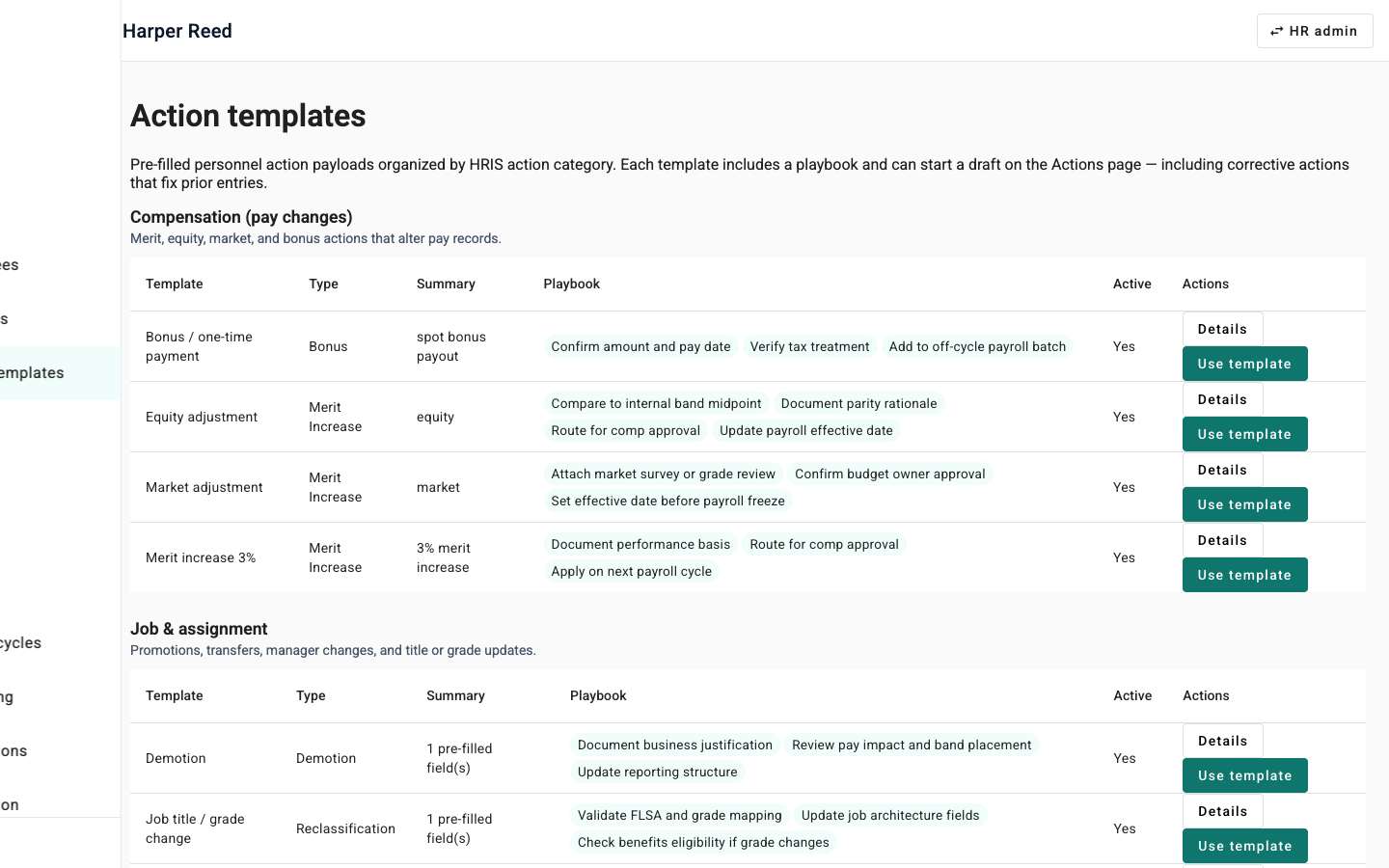
Action templates → Process due
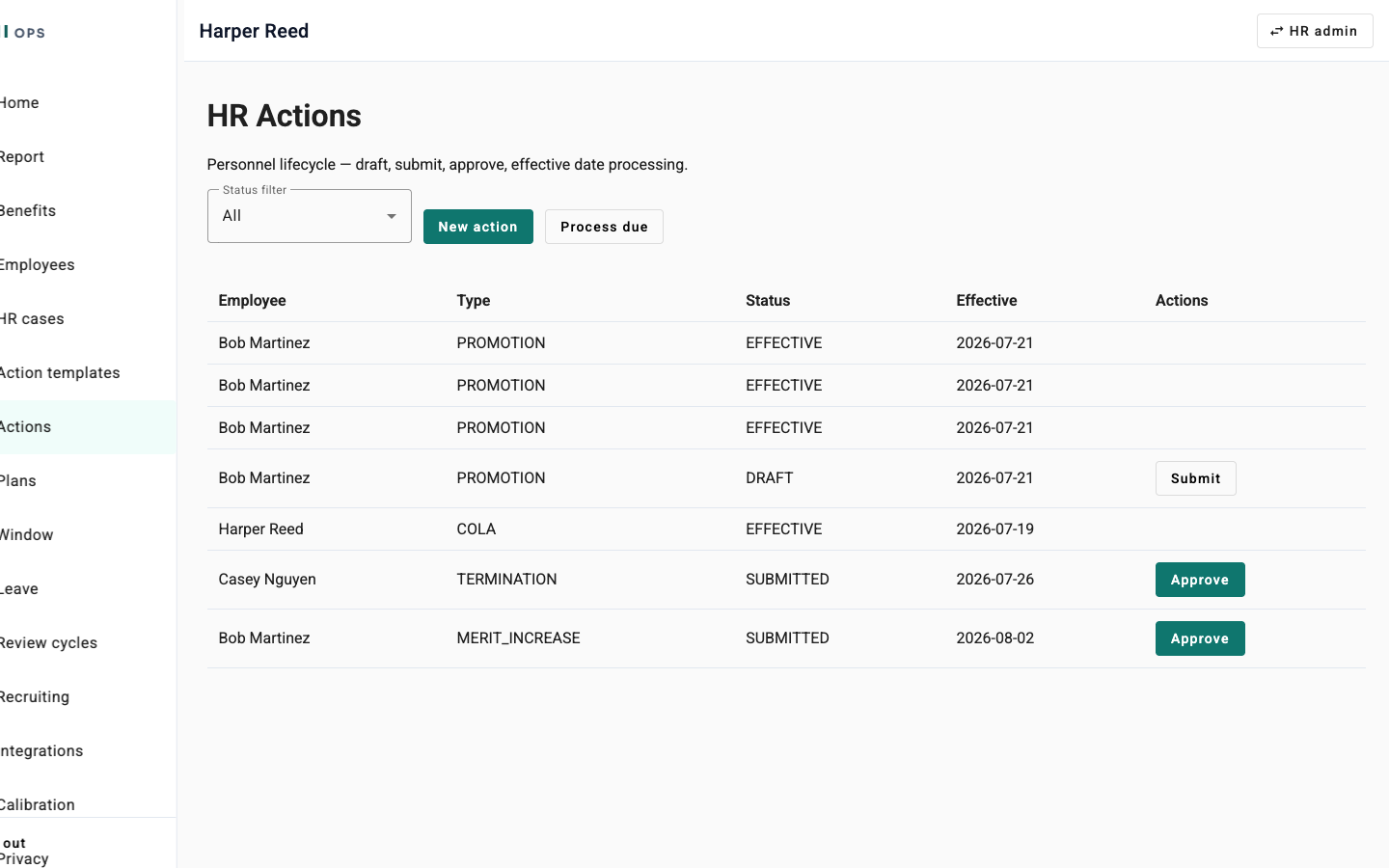
HR picks Promotion (or another catalog template), creates a draft, submits, approves, then Process due. On the effective date the employee job title, department, grade, and compensation update — the same path integration tests cover.
HR Actions lifecycle
Draft → Submitted → Approved → Effective. Process due runs the processor for due actions so status becomes EFFECTIVE and org/comp fields stick.
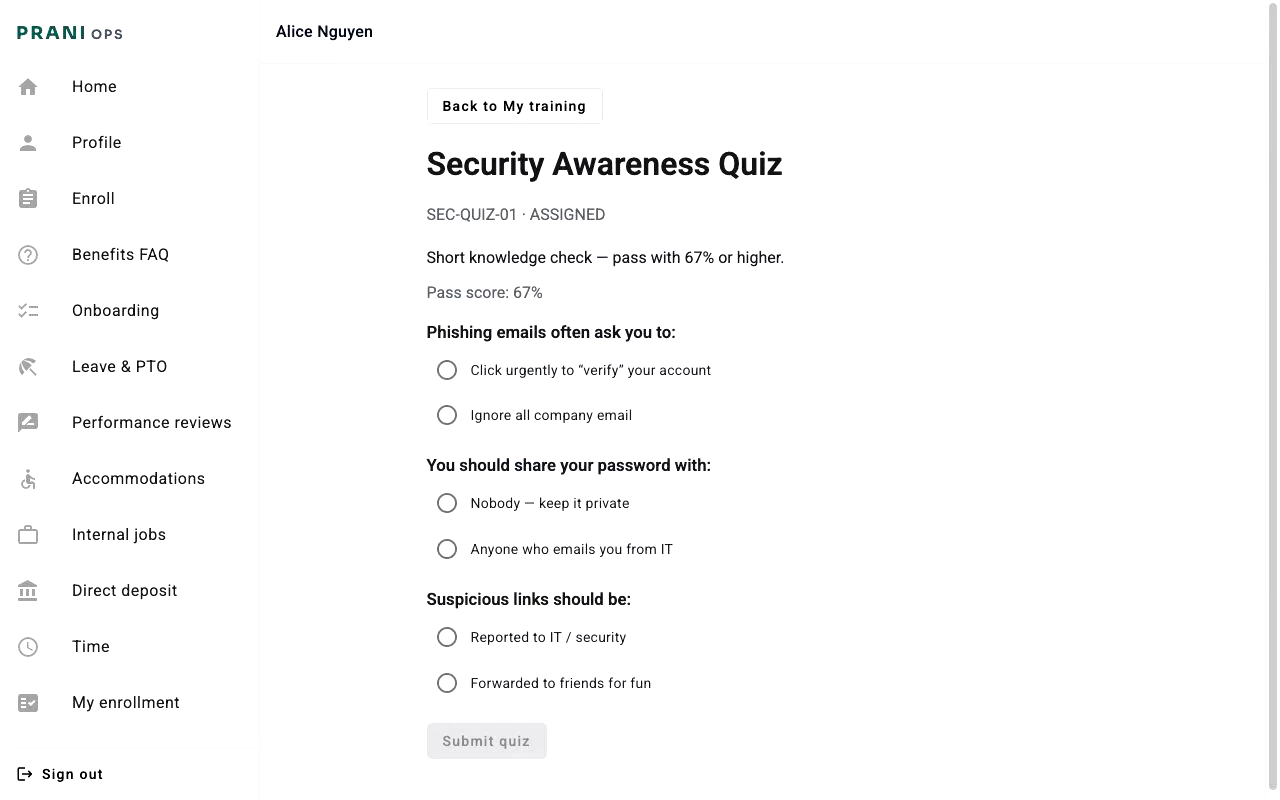
Security Awareness Quiz
QUIZ content type with pass percent (67% demo). Employees fail, retry, and pass; assignment completes only after a passing attempt.
Research & insights
Sources: market research doc (personas, pricing bands), competitor battlecard (review themes from incumbent HR portals), and UX accessibility plan. No synthetic "5 users said…": these insights drove design decisions and copy.
Five insights that shaped enrollment
- Employees abandon when they cannot tell if submission succeeded — confirmation must repeat plan names, costs, and date in plain language.
- Mobile is not optional: field and frontline staff enroll on phones; a single scrolling form fails under 375px, so a wizard pattern was required.
- Jargon blocks comprehension: "PPO vs HMO" without cost context increases HR support volume; show employee cost prominently on each card.
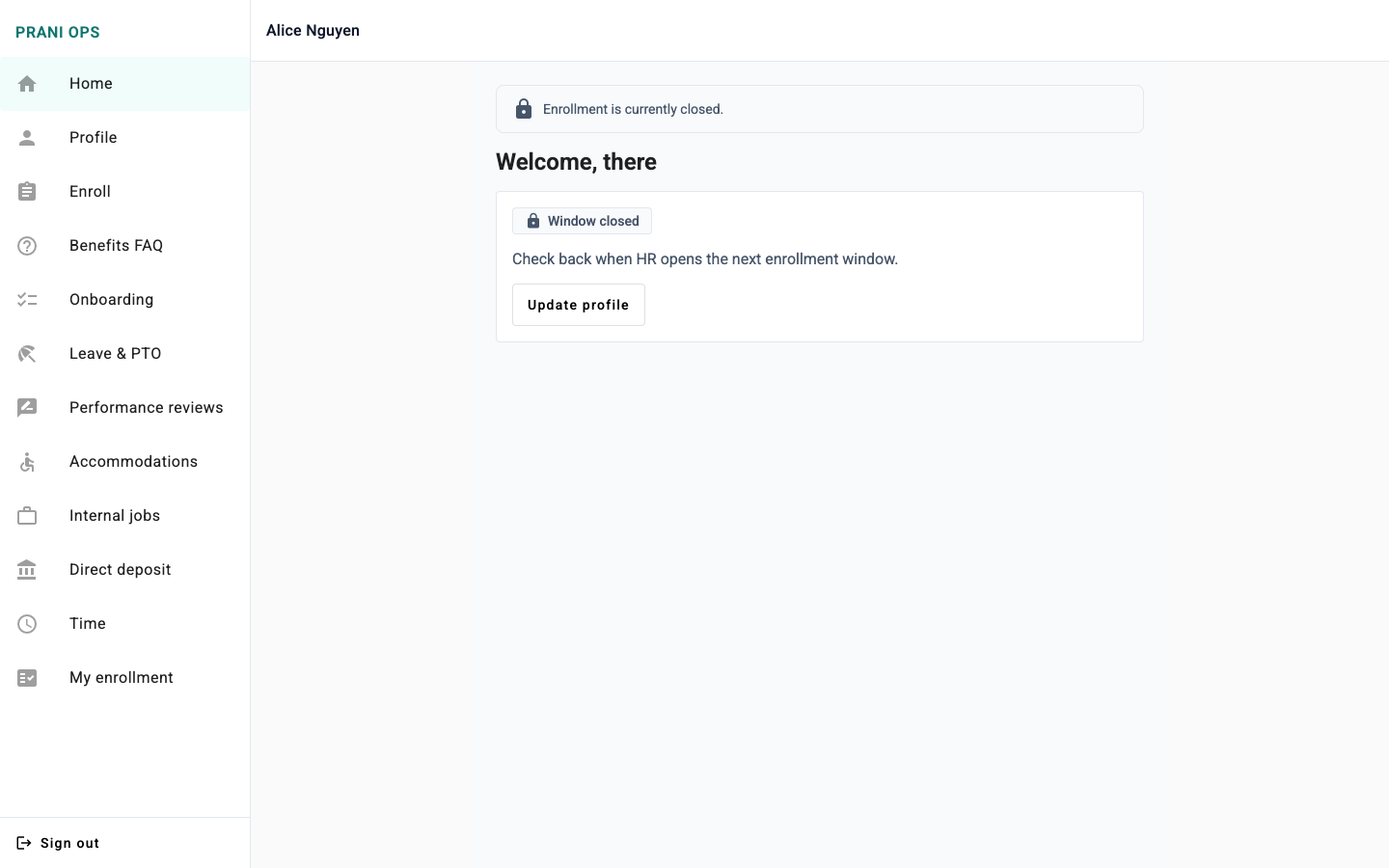
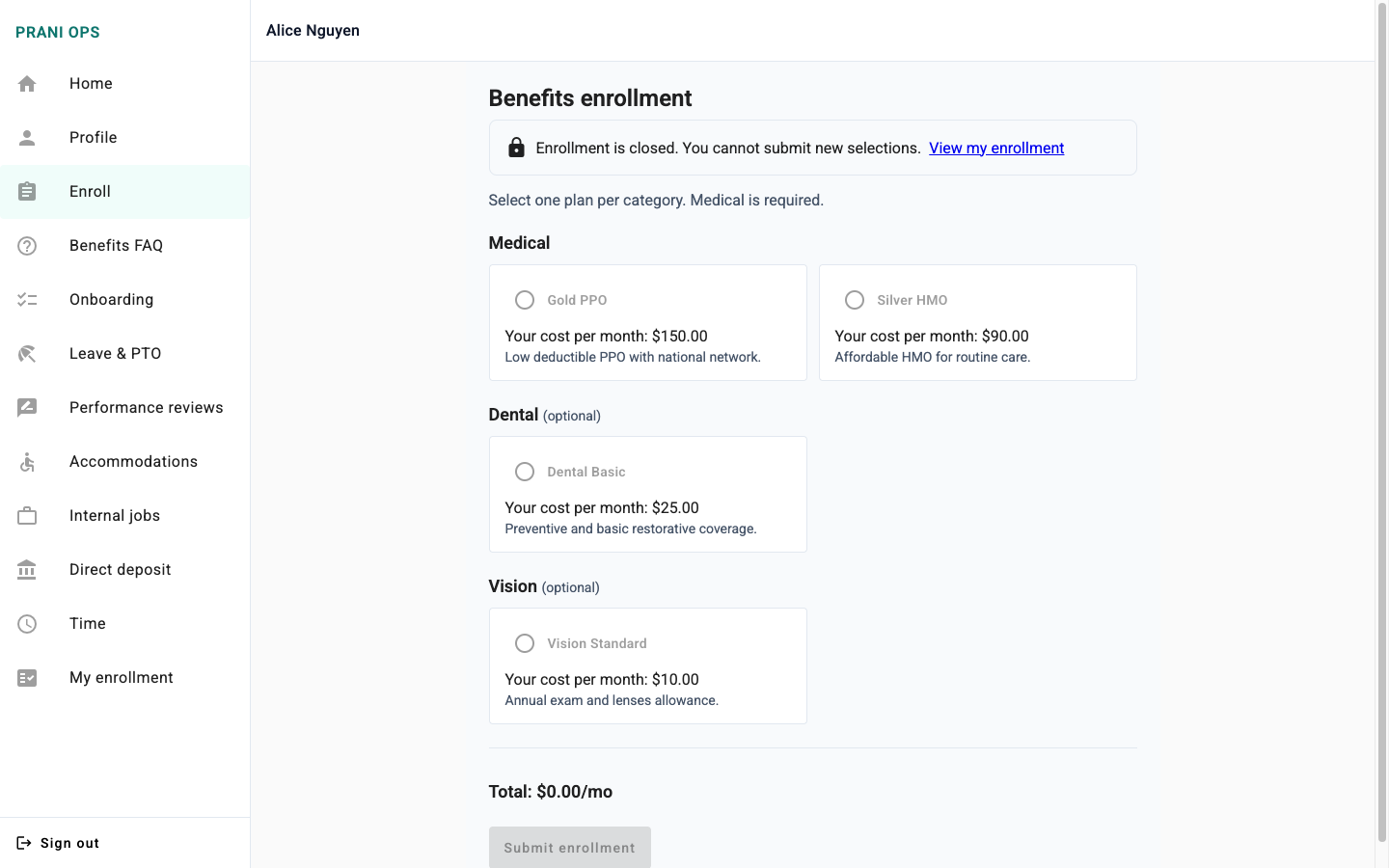
- Closed-window behavior must be explicit: disabled controls alone are insufficient; banner + link to "My enrollment" prevents dead-end frustration.
- HR admins need completion visibility: filters and export matter as much as employee UX during the two-week OE crunch.
Competitive pain → design response
Review themes across incumbent HR portals — dated multi-portal UX, module complexity, quote-only pricing — mapped to concrete patterns: single employee app, guided fieldsets, flat pricing story for buyers, and pilot-friendly scope (enrollment first, then deepen the platform).
Personas
Two primary personas from market research drove enrollment UX decisions. Cards summarize who they are, what they need, and how the product responds — shaped by client, manager, and HR specialist perspectives from military healthcare.
Persona 1: Employee (desk + field)

Persona 2: HR Administrator

Journey map
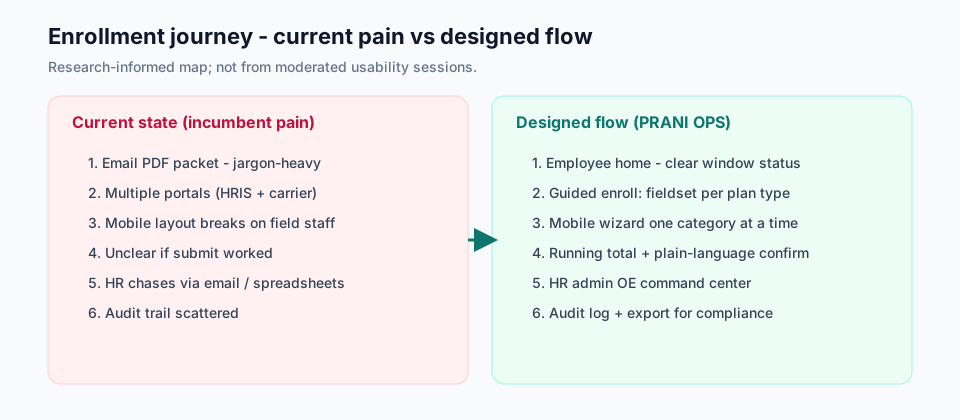
Current-state steps synthesize incumbent pain from competitive research; designed flow reflects the shipped PRANI OPS enrollment path.
From wireframe to shipped enrollment UI
Wireframes
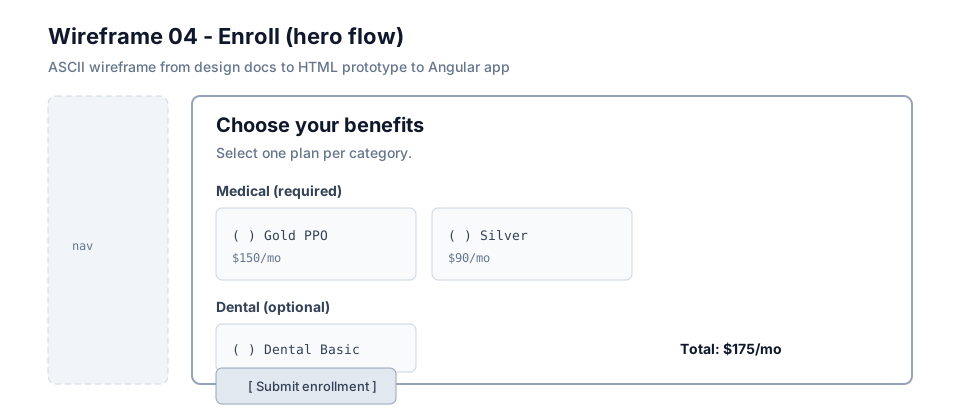
ASCII wireframes in the design repo defined layout, plan card grid, closed-window state, and post-submit confirmation before any Angular code. Wireframe 04 (Enroll) was the P0 hero spec.
Lo-fi prototype
A static HTML prototype validated interaction basics: selectable plan cards, running total with aria-live, required medical gate on submit, and confirmation state. Try the click-through at /prototypes/prani-enrollment.
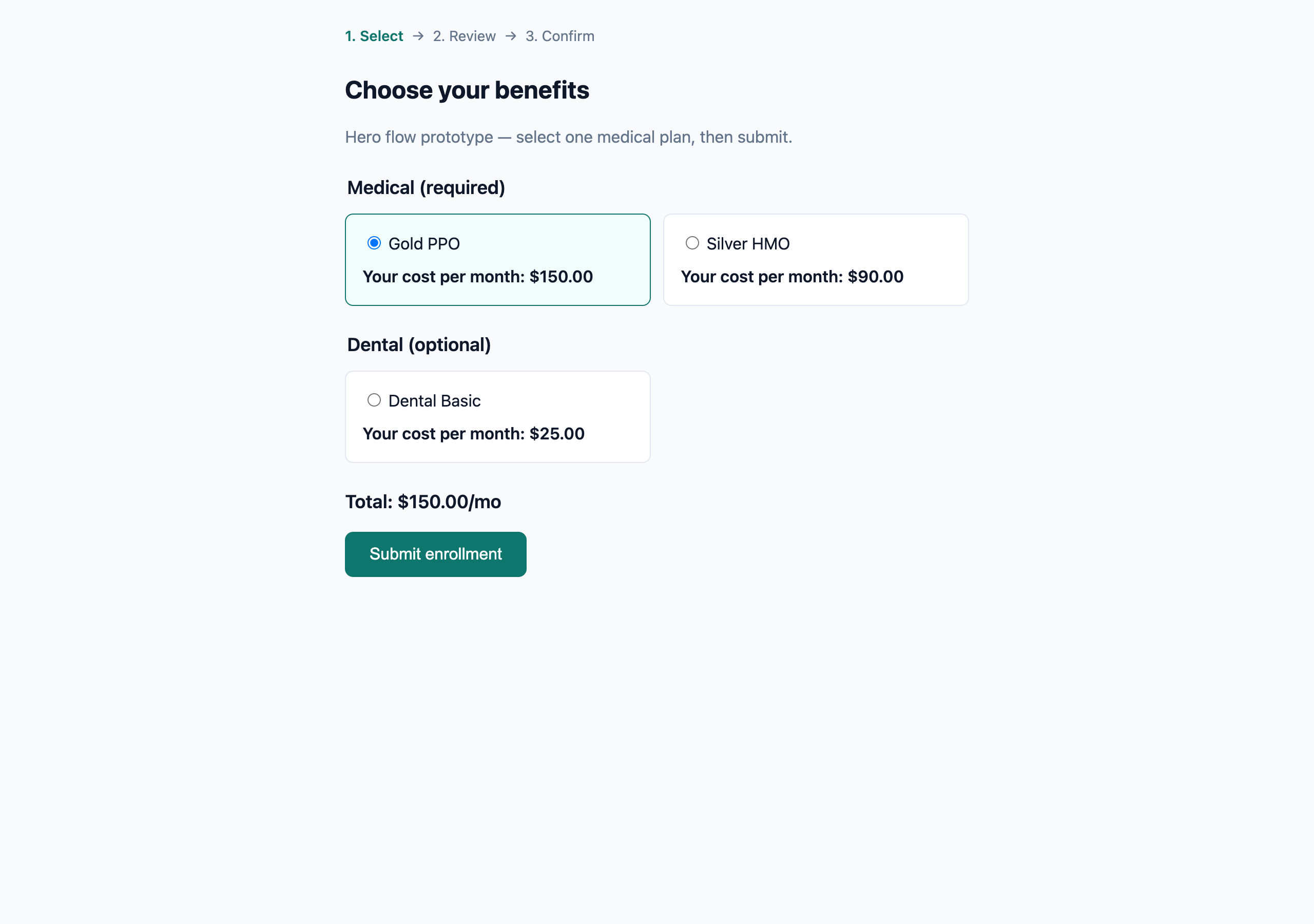
Hi-fi: desktop enrollment
Shipped in Angular 17+ with Material: fieldset/legend per plan type (Medical, Dental, Vision), selectable plan cards with employee cost, running total, and submit. Backend: Spring Boot enrollment API with window gating and audit events.
Hi-fi: mobile wizard
Below 768px the form becomes a step wizard: intro → medical → dental → vision → review. One category per screen keeps touch targets large and reduces cognitive load on phones.
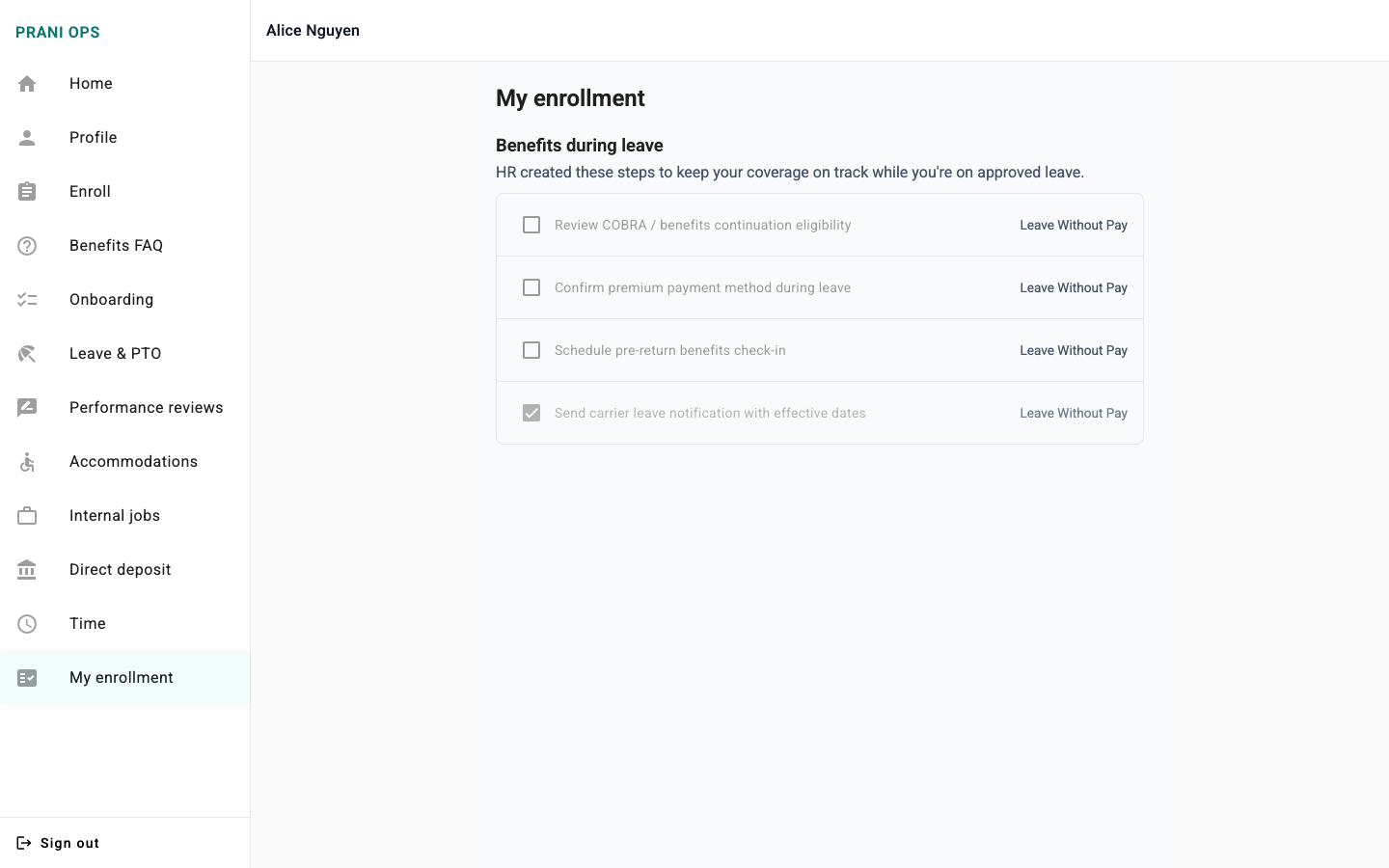
Confirmation & my enrollment
After submit, a success card repeats plan names, costs, and timestamp — addressing the "did it go through?" anxiety from research. My enrollment persists the record for later reference.
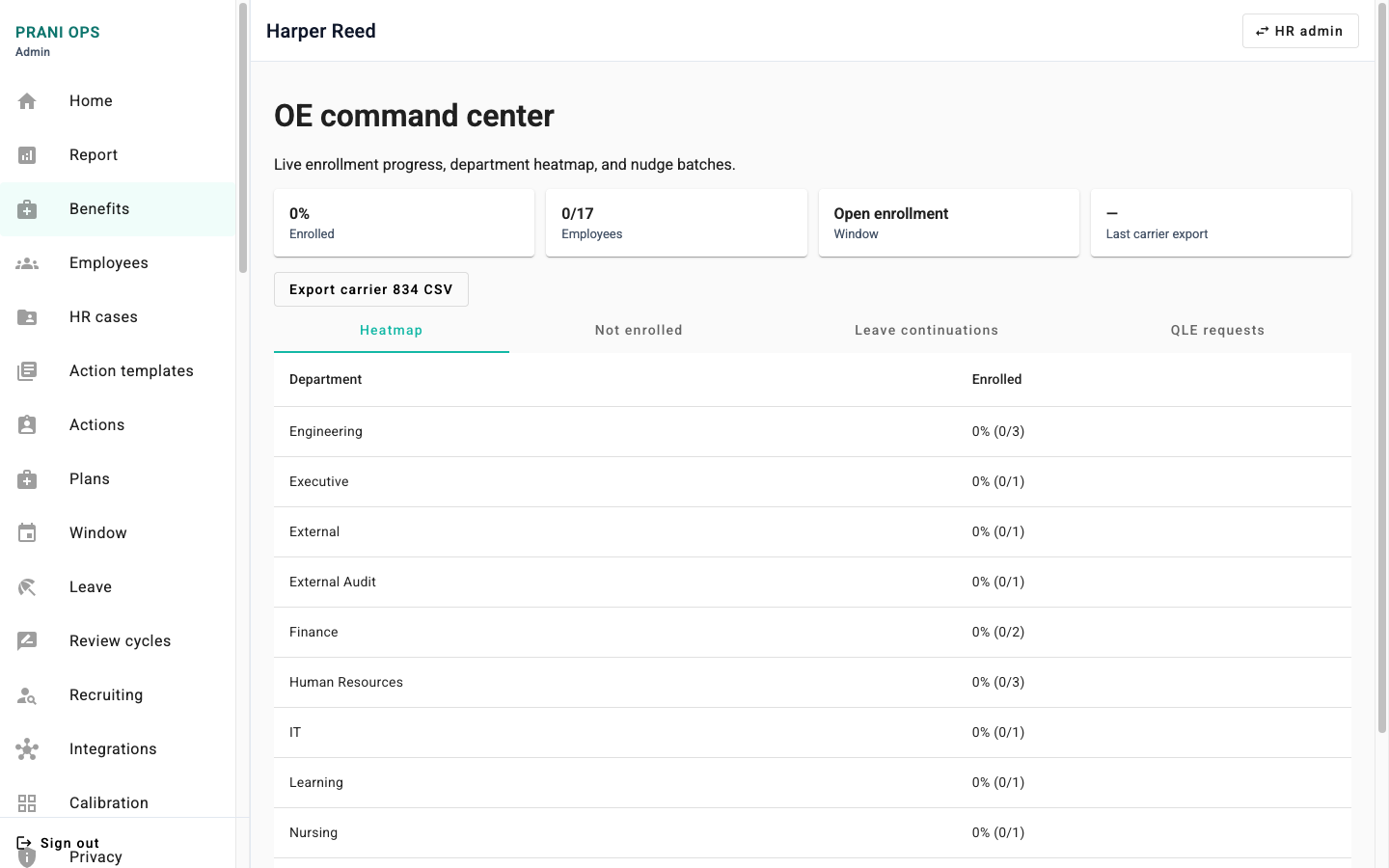
HR admin: OE command center
HR admins get department completion heatmaps, not-enrolled lists, and carrier export from the OE command center — so they can chase stragglers without spreadsheet reconciliation.
Accessibility validation
Target: WCAG 2.1 Level AA on employee enrollment hero flow. Validation combined implementation checklist, automated axe run, and Lighthouse on /employee/enroll — not a third-party VPAT audit.
Enrollment route checks
- Keyboard: login → home → enroll → confirm without mouse (documented in A11Y sign-off v1).
- Structure: fieldset + legend per plan type; radiogroup labels; skip link to main content.
- States: closed window uses icon + text (not color-only); confirmation uses role="status" and aria-live="polite".
- Touch: primary actions ≥44px at 375px viewport.
- Automated: axe 0 critical/serious on scoped screens; Lighthouse accessibility 100/100 on /employee/enroll (2026-06-26 run).
Honest limits
Hardening-track routes (compliance hub, auditor portal, executive dashboards) have a separate sign-off. I do not claim Section 508 certification or SOC 2 Type II — those are pilot/GTM tracks. Integrations (payroll, Stripe, OpenAI) are stub or config-gated until a real customer wiring.
Outcome & résumé bullet
Shipped
- Hosted live demo (Railway) with seeded multi-role accounts — no JDK required for first contact.
- Enrollment: employee select → submit → confirmation → my enrollment; HR OE command center.
- Platform: action templates + effective-date processor, L&D quizzes, delegations, payroll/time, exec analytics (through v57).
- Design artifact trail: wireframes, HTML prototype, a11y test plan, plus recruiter walkthrough video on this page.
Technical notes (blog)
Résumé-ready line
Built PRANI OPS, a full-stack enterprise HRIS (Angular, Spring Boot 3.5, PostgreSQL, JWT/RBAC, Flyway) with live demo, enrollment UX, action processor side effects, and quiz-gated L&D; case study at darrellkilo.com/projects/prani-ops.
Next research (not yet done)
USABILITY_NOTES.md is intentionally empty: the honest next step for a pilot is 5–8 moderated task sessions on enroll + admin report with real HR admins and employees.
Reflections
- Lead with a live URL — recruiters will not clone a Java monorepo on first pass.
- Show side effects (Process due, quiz pass) so the story is not only enrollment chrome.
- Label research and stubs honestly: competitive synthesis beats invented usability quotes; stub integrations beat fake "connected to payroll."
- Keep the enrollment deep-dive for UX roles; keep the platform section for full-stack / backend interviews.
Product shots
Swipe for more →